

Singapore PayPal Payment Guide (SGD)|新加坡 PayPal 付款教學
1. Select SGD|選擇新幣 SGD
Open “Region settings” and select SGD (Singapore dollar).
開啟「區域設置」,將幣值切換為 SGD(新加坡幣)。

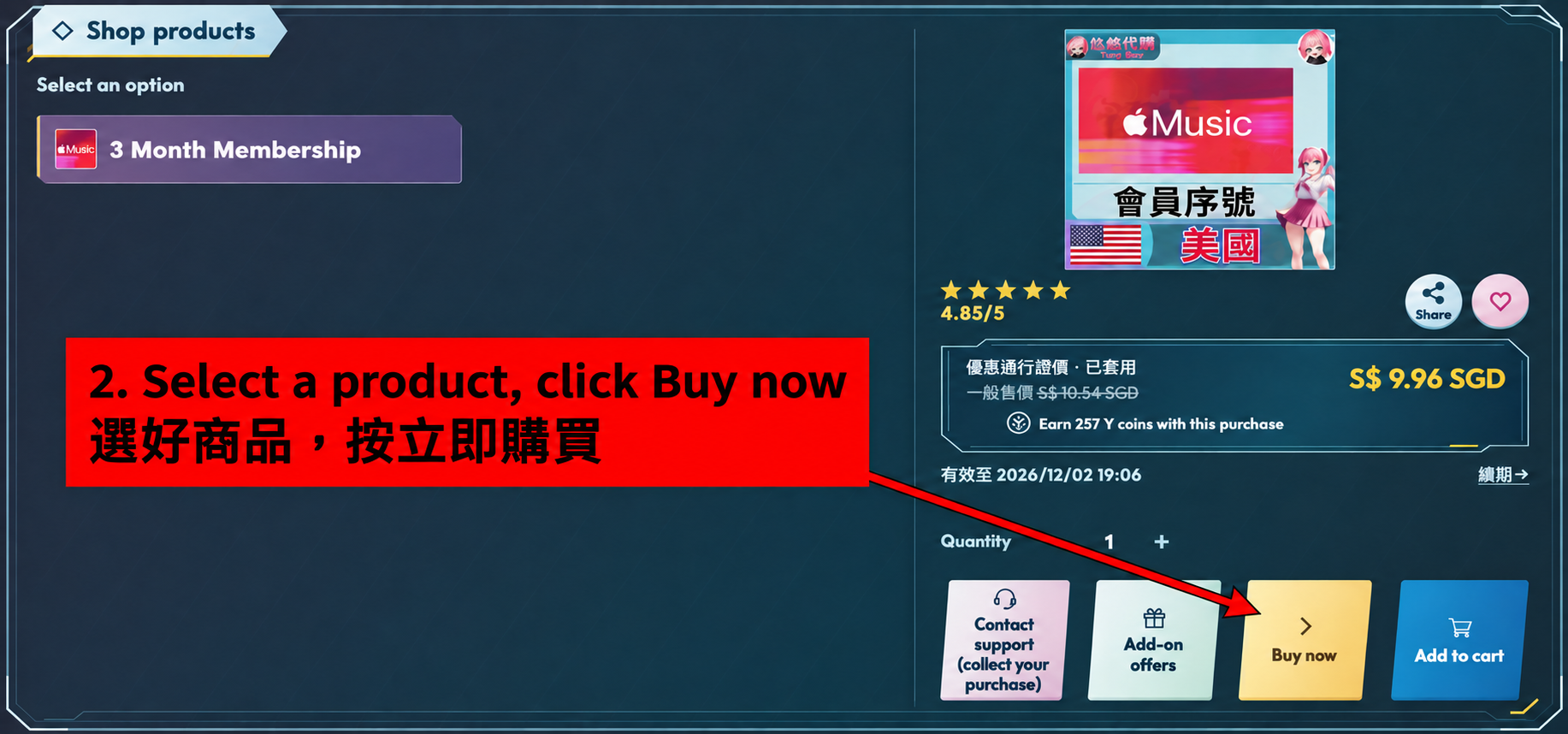
2. Select a product and place your order|選好商品並下單
Choose the product options and quantity, check the amount in SGD, then click “Buy now”. Follow the page instructions to enter your order details.
選擇商品規格與數量,確認新幣金額後按「立即購買」,並依頁面指示填寫訂單資料。
3. Select PayPal|選擇PayPal
Select PayPal from the payment methods, check the final amount and confirm your order. Then follow the instructions on that order’s payment page.
在付款方式中選擇PayPal,確認最終金額後送出訂單,再依該筆訂單的付款頁面指示操作。

After payment, contact customer service according to the collection instructions on your order page.
付款後,請依訂單頁的領取說明聯絡客服。